Gr Weight
This post is also available on:

Note: The selection of animals for group capture weights can be done in two different ways. To select a marking group, it must first be created (Create a marking group)
- Capture from Marking Group
- Capture from BU/Group
1. Capture from marking group
- Open
 Capture animal >
 Edit as a Group>
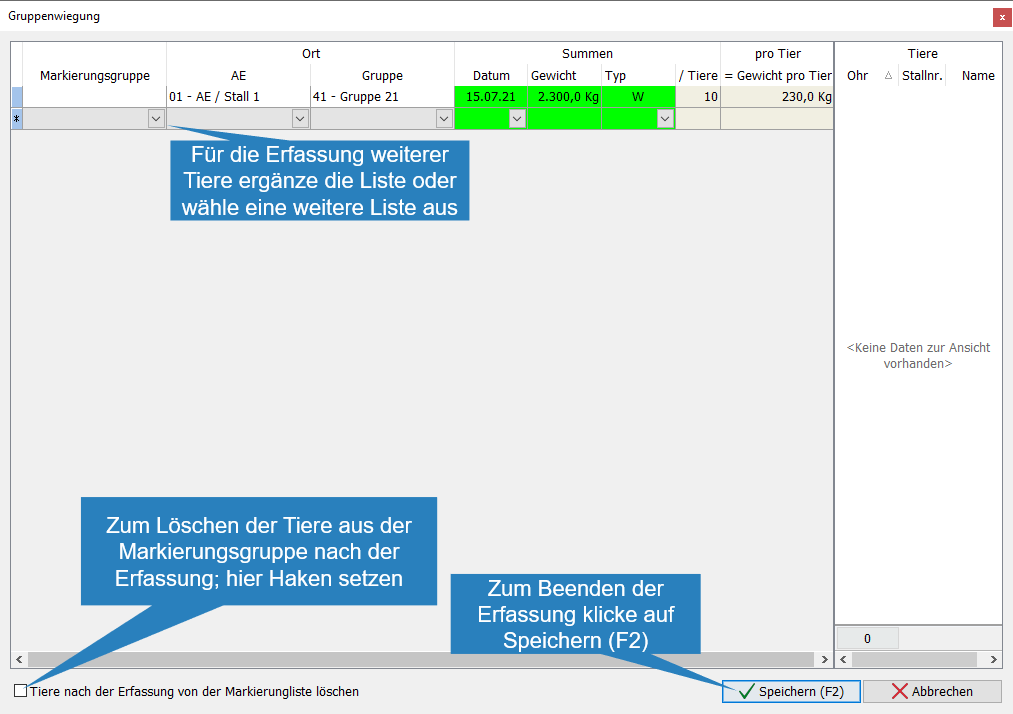
 Weight

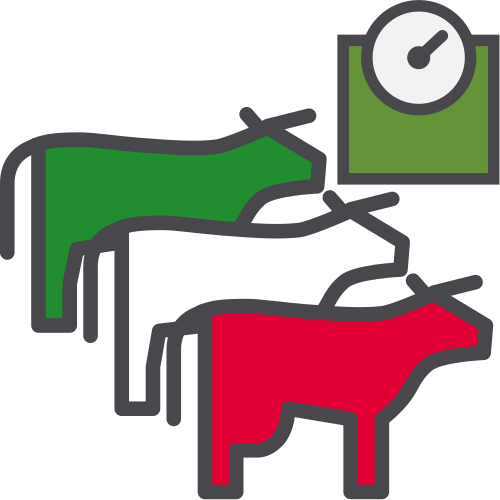
- Open drop-down list
- Select a marking group

- Enter the date or select to continue with

- Enter the determined weight for the animal group, continue with

- Open drop-down list
- Select the type of weight determination at the click of a mouse
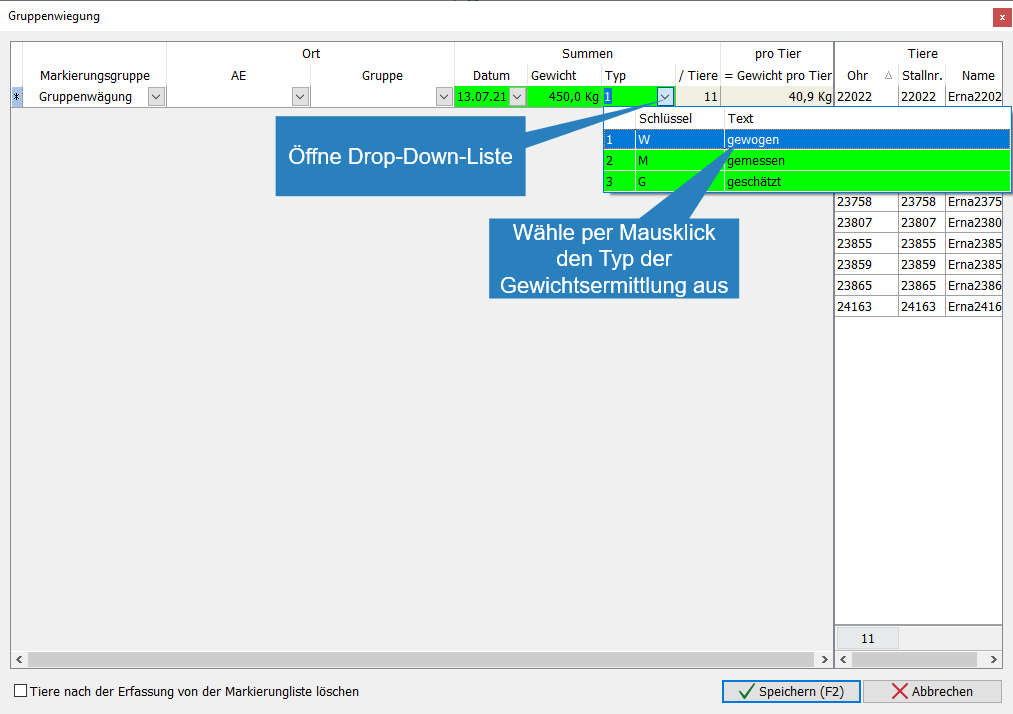
- To capture more weights for animal groups, continue with 2.
- To stop capture click
 Save
Save 
Important: If animals are to be deleted from the marking list after the group entry of weights, then set one under “Delete animals from the marking list after capture after saving the capture the marking list is available again
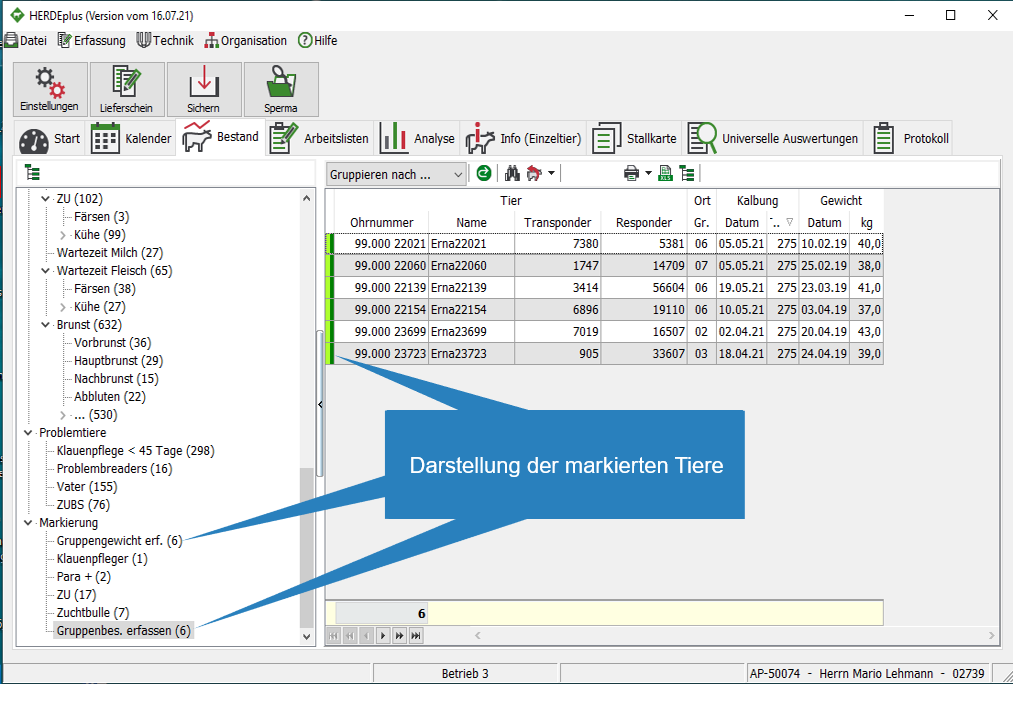
If animals are included in a marking group and the marking group is set to “Color” in the settings, a color marker is set for the individual animal. In addition, marking groups in the stock are displayed under “Marking”
2. Remove animals from marking group
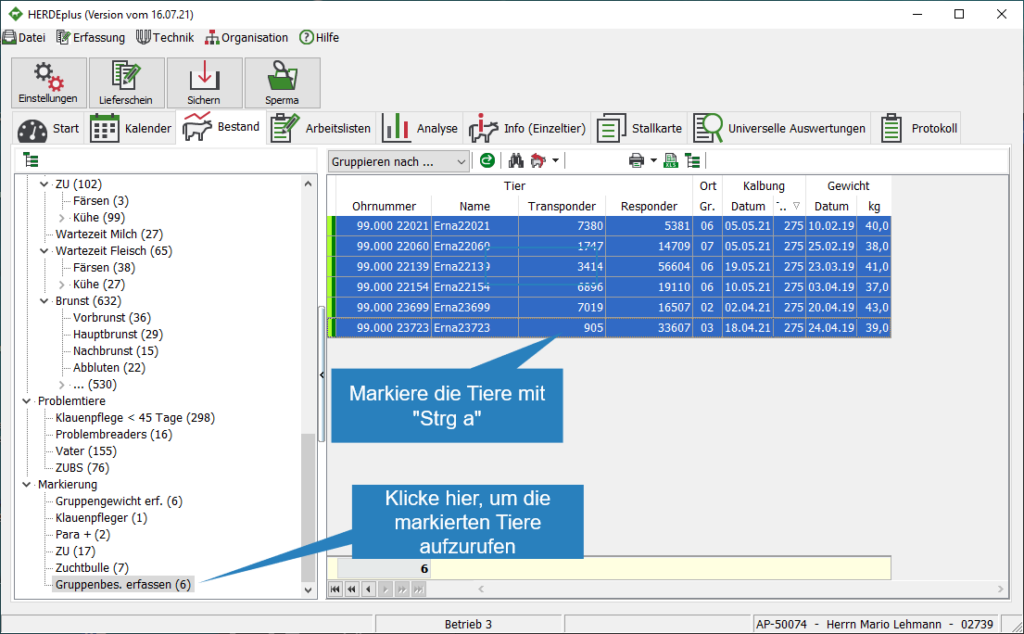
- Click on the respective tagging group to list the marked animals
- Mark animals with CTRL + A
- Open the context menu with right-click
- Open the “Mark” drop-down box

- Remove the hook with a mouse click, the marking for the affected animals is removed

3. Capture from BU/Group
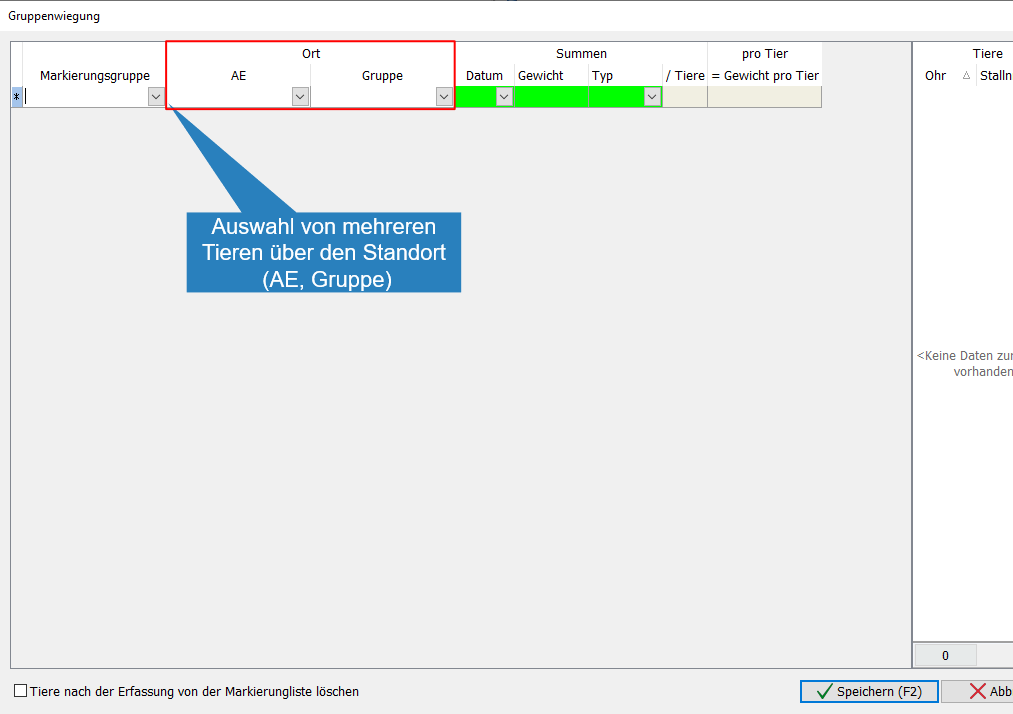
- Recording of weights and selection of animals via BU/group
- Open drop-down list
- Select the BU with a mouse click

- Open drop-down list
- Select the group with a mouse click

- Enter the capture date or select
- Enter the recorded weight for the group, continue with

- Open drop-down list
- Select the type of weight determination with a mouse click

- To record weights for additional groups, continue as described in 2.
- To stop the capture, click Save