Gr Insemination
This post is also available on:

Note: The selection of animals for group capture weights can be done in two different ways. To select a marking group, it must first be created (Create a marking group)
- Capture from Marking List
- Capture from stock (BU/Group)
1. Insemination with marking list
Important note: When Insemination animal groups with a bull, it should be noted that the correction can only be made in eachindividual animal in the event of incorrect entry of Insemination in  info animal; a correction of the entire group is not possible!
- optional: Create a marker list for marking group inseminations, if not already available
- Add animals to the marking list
- Open
 Capture animal >
 Edit as a Group >
 Insemination

- Enter the date or select to continue with

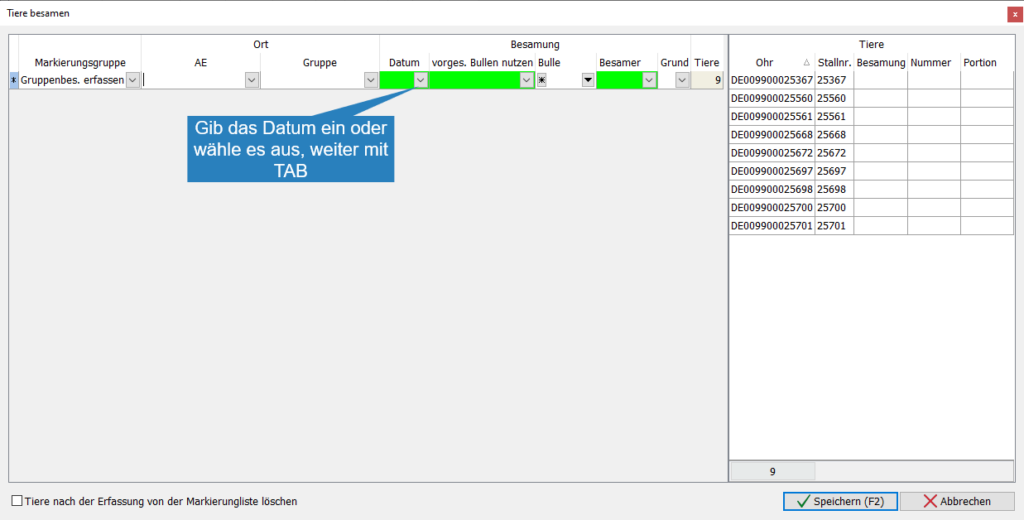
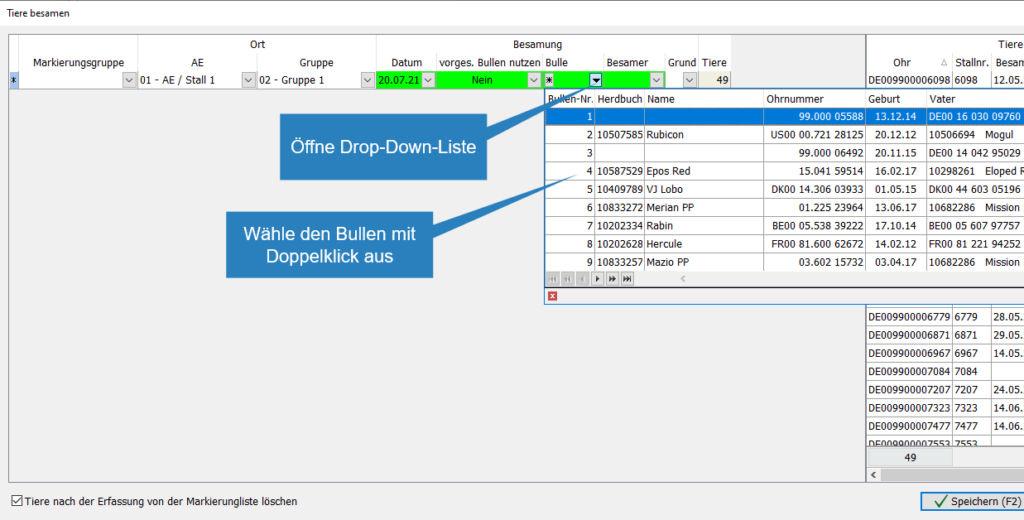
- Open drop-down list
- Decide whether the predicted bull should be used (example: no)
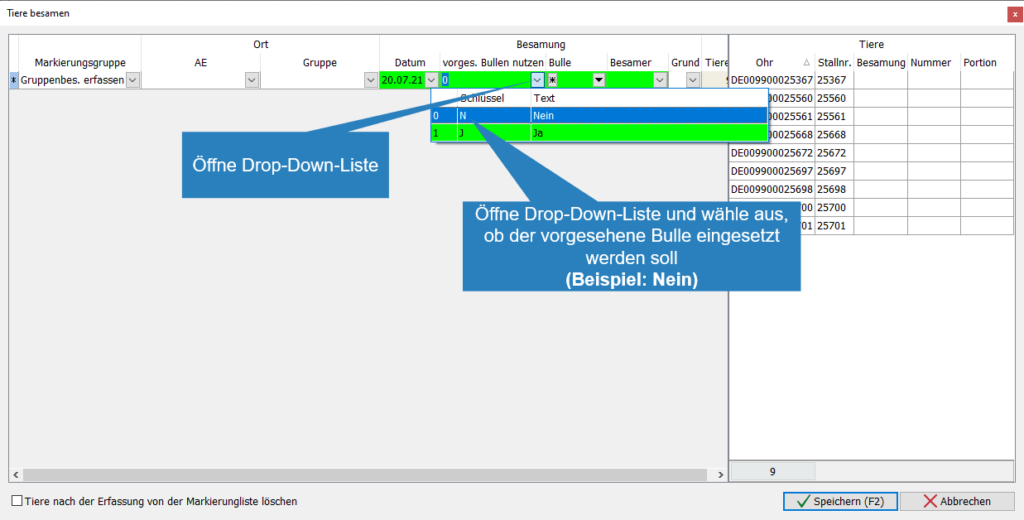
- Open drop-down list
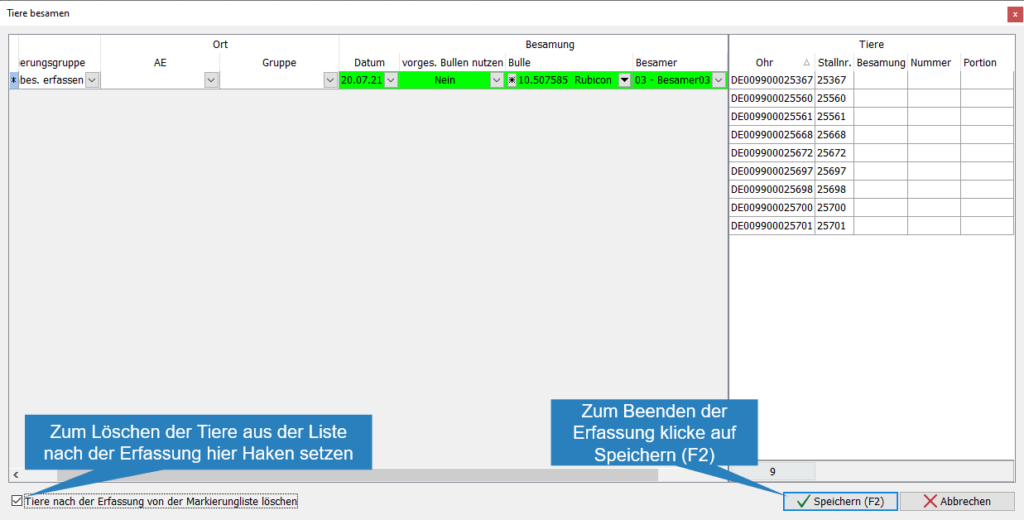
- Select the bull to use (example: Rubicon)

- Tick the box to delete the processed animals from the list; the next group of animals with the same marking list can be edited immediately
- Click
 Save
Save  to stop capture
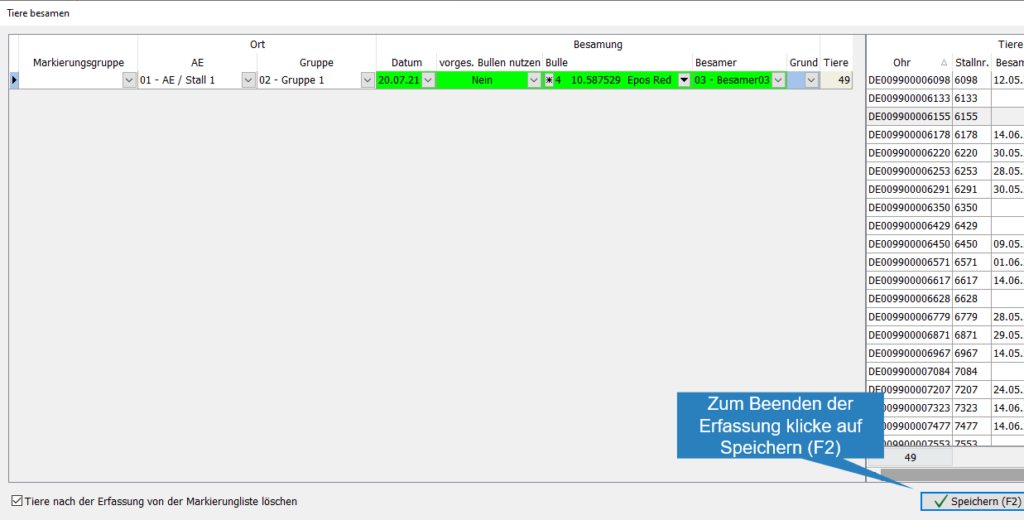
2. Group insemination from stock
- Open Capture animal > Edit as a group >
 Insemination
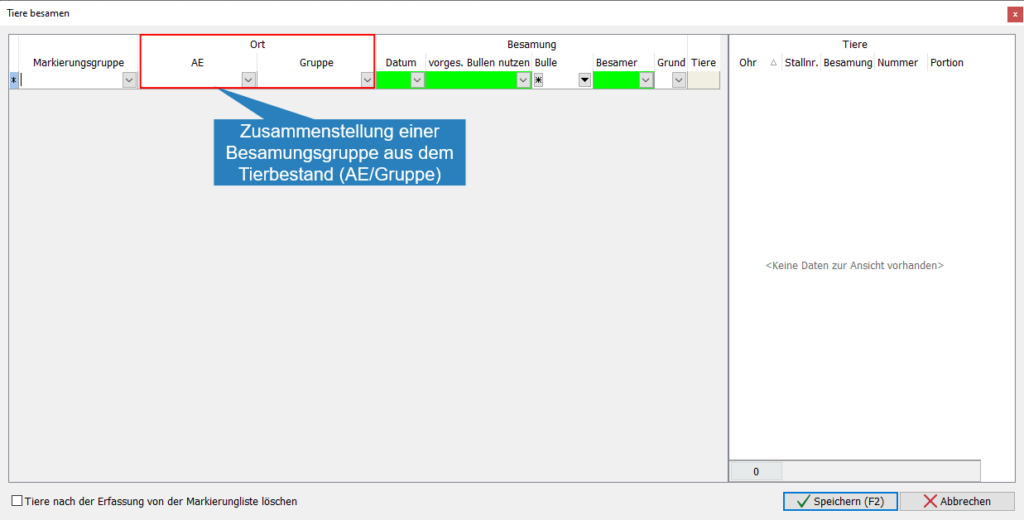
- Open drop-down list
- Select the BU with a mouse click

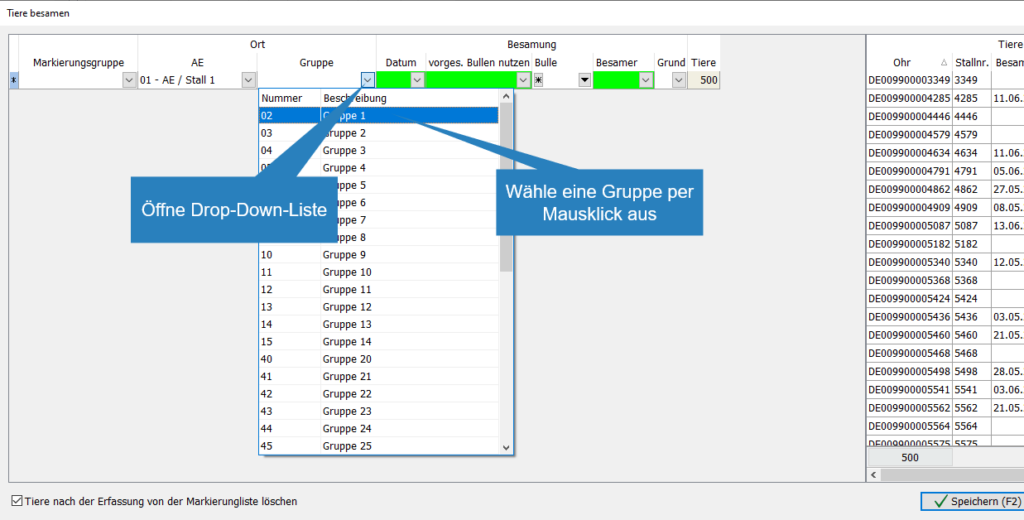
- Open drop-down list
- Select a group at the click of a mouse
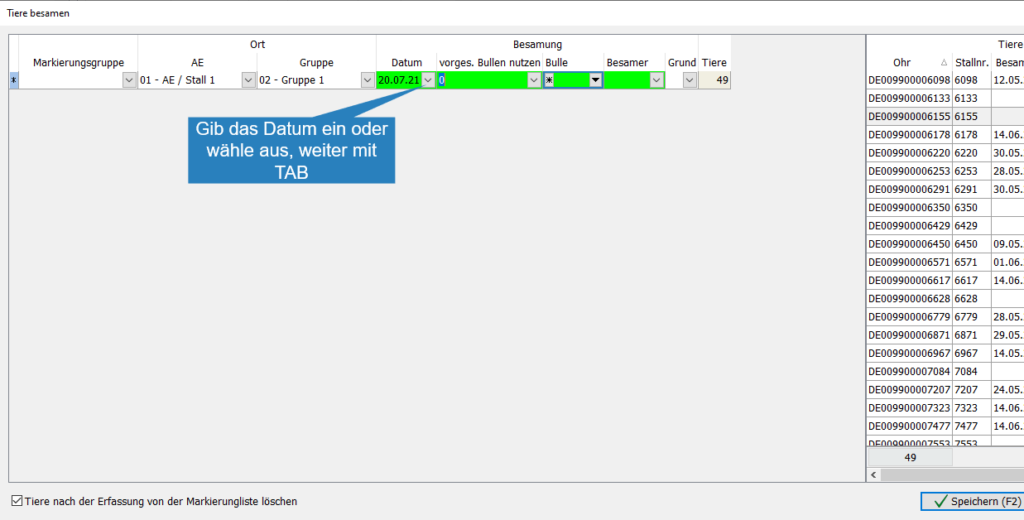
- Enter the date or select to continue with
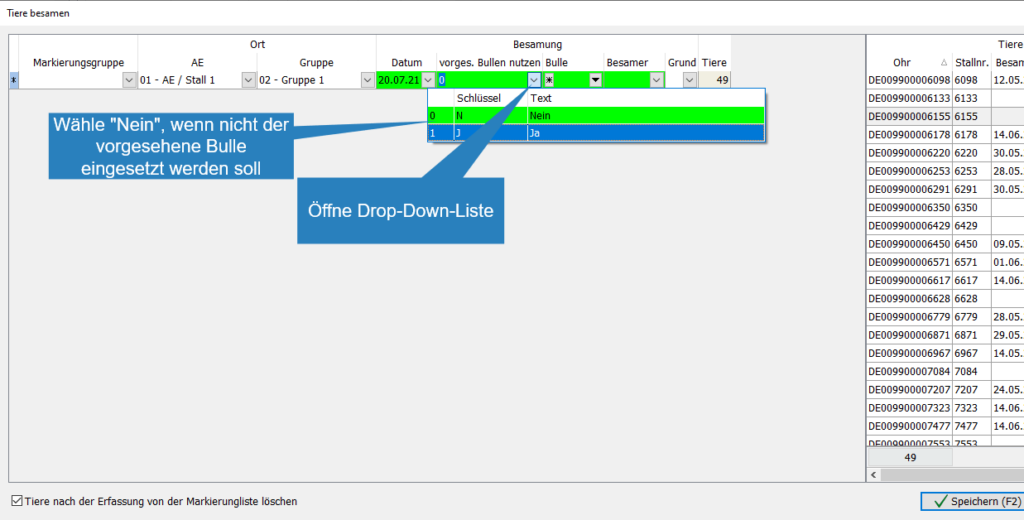
- Open drop-down field “pred. Bulls”
- if the intended bull is not to be used, set the field to “No”
- Open the drop-down box and select the right bull
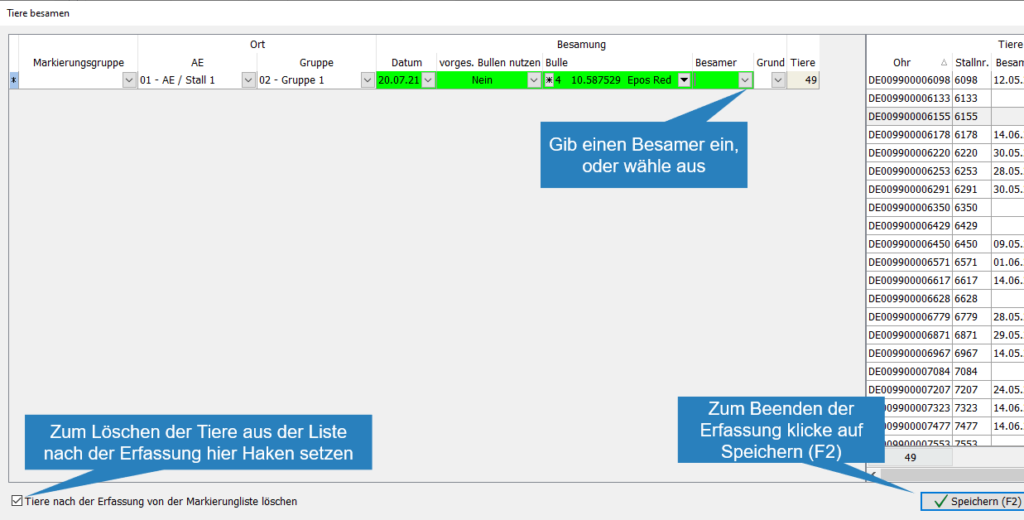
- Enter or select an inseminator
- If the active list is to be used for further group insemination, tick “Delete animals from the marking list after capture” these will be removed from the list after saving
3. Insufficient sperm portions available
- If there are not enough portions for the Insemination of the entire group, a window opens with the TARGET/ACTUAL stock of the selected bull, the sperm supply can be supplemented here
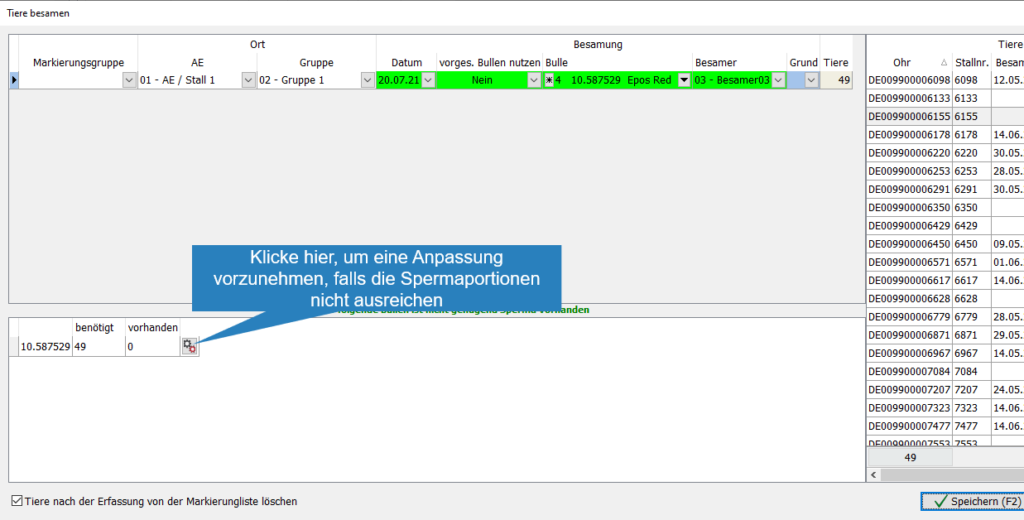
- Click
 to open the bull’s record
 - Enter the purchase date for the sperm
- Choose the use for the sperm
- Enter the number of purchased portions
- Complete the capture with Save

- To save the group insemination, click Save