
AMTS
This post is also available on:

- Open
 Organisation >
  Export >
  Feed >
  AMTS
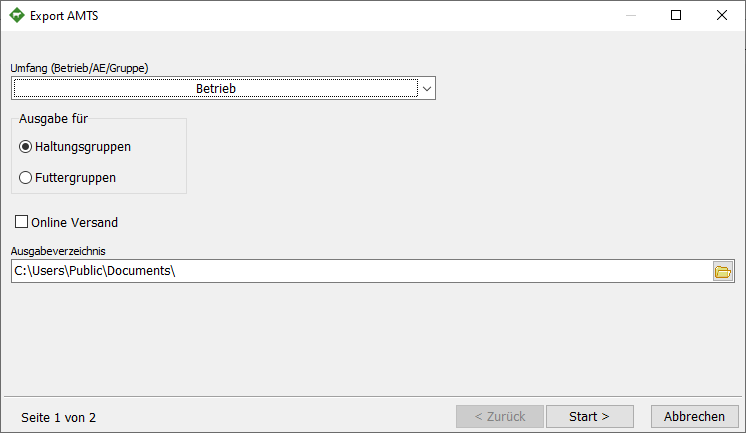
AMTS - Click Startto export
- To close the window, click Exit
Scope (Farm/BU/Group) | Default setting “Farm”, allows the transfer of the entire farm, individual BU or the selection of groups by selecting  in the drop-down list
Output for | Specifies the type of grouping
- Groups
- Feed groups
| Displays the location of the created data if no “Online transmission” is set
Online client | allows the generated data to be sent via an online client if the one is set in the box. This must first be set up under Organization >  Settings> Service > Online clients.
