
Restore backup
This post is also available on:

Restore a backup
Before restoring backup, each client application must be closed.
After restoreing, all online clients are inactivated for security, to activate open  organization >
  settings > Service > Online-Clients
Open the dialog via organization >  Backup >
  Restore to restore previously backups manual as well as automatic data backups.
- The contents of the selected backup are read back to the current database. In order to prevent accidental overwriting of the database with foreign data, the option to select on your own data backup is available by default in the 2nd dialog box and only after modification to all backups.
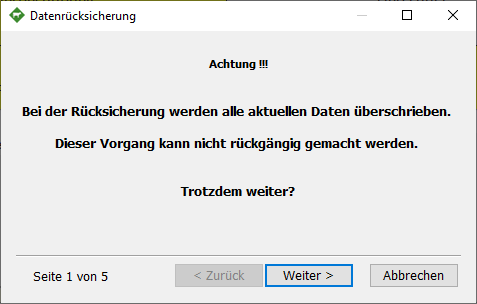
Warning: The backup overwrites all current data.
This operation cannot be undone.
Still, keep going?
- Select the directory of the backup, usually the selection should only be on the “own backup“

- If there are backups in the selected order, they are listed here. If no backup is displayed, only “foreign” backups are included.
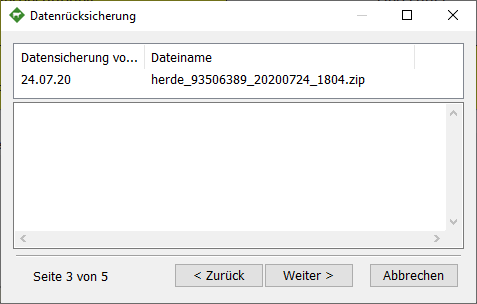
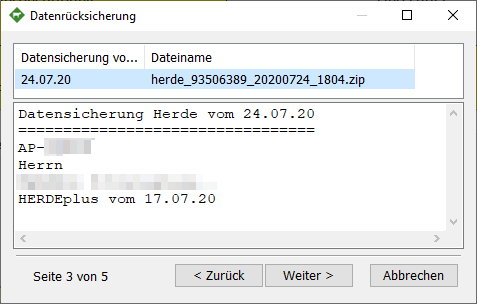
- When the data backup is selected, the customer is displayed in the lower window. Choose the correct data backup here.
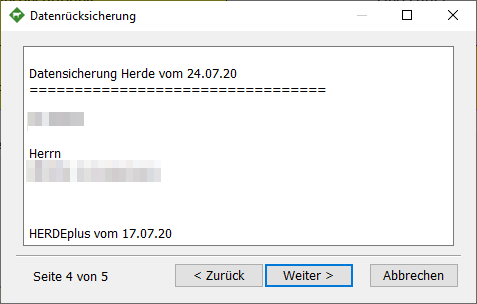
- In step 4, confirm the restore by clicking on Next>
- After restore, HERDEplus starts automatically and adjusts the database to the current program version.