
Import new license
This post is also available on:

The purchased license for HERDEplus is usually provided online. The file will only be sent by email in exceptional cases.
All customers with an active/unannounced software service contract receive the license upon purchase or on a telephone request through their specialist dealer.
A distinction is made depending on the application.
Online (default)
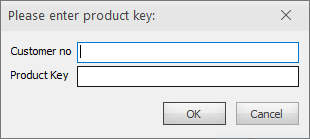
Enter the customer number here, e.g. AP-99999
and the product key received, e.g. 1234-567
- If successful, the license is retrieved from the license server. This process is done automatically when a license is required for the online update.
- If additional modules are purchased, only the menu item
 Organization >
  Import new license must be clicked.
Closing this window opens the dialog for manually importing the license.
this process must be performed on each PC used by HERDEplus.
via file
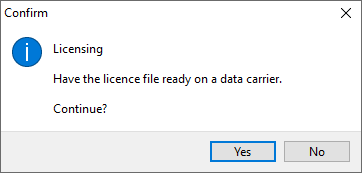
- Click Yes
- Select the location of the license
- Select
HERDEplus.lizorlizenz.zipchoose - After successful import, the license is available
- A higher version of the program always requires the associated license.
- If additional modules are purchased, the new license must be manually read in Organization > Import new licence.
this process must be performed on each PC used by HERDEplus.