
Dry off – Context menu
This post is also available on:

- Open
 working lists >
  Dry
Dry
- Make the settings and click Start
- print out the list and come back with the results.
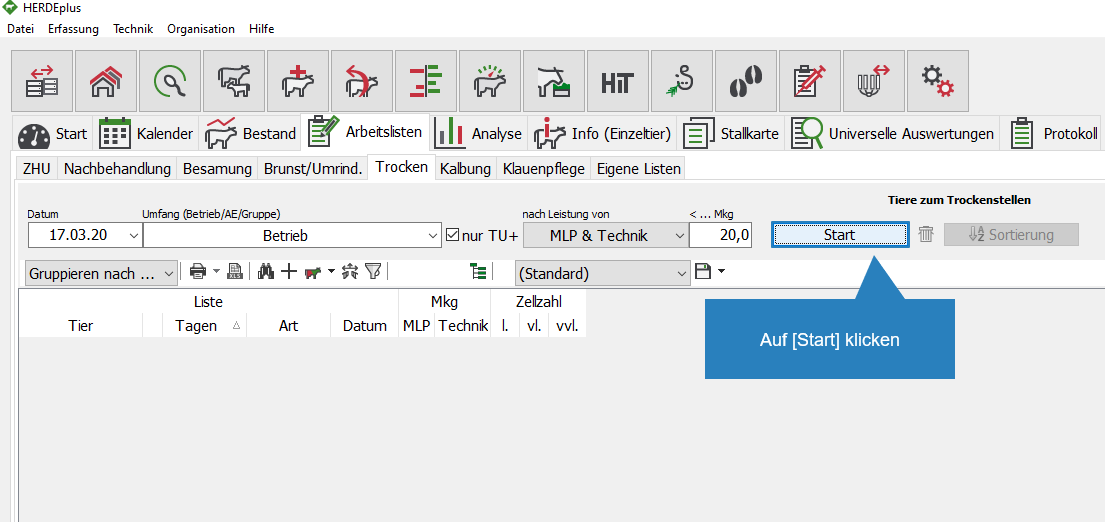
- In the Dry work list, press CTRL+A (select everything) at the same time or mark the animals to be treated
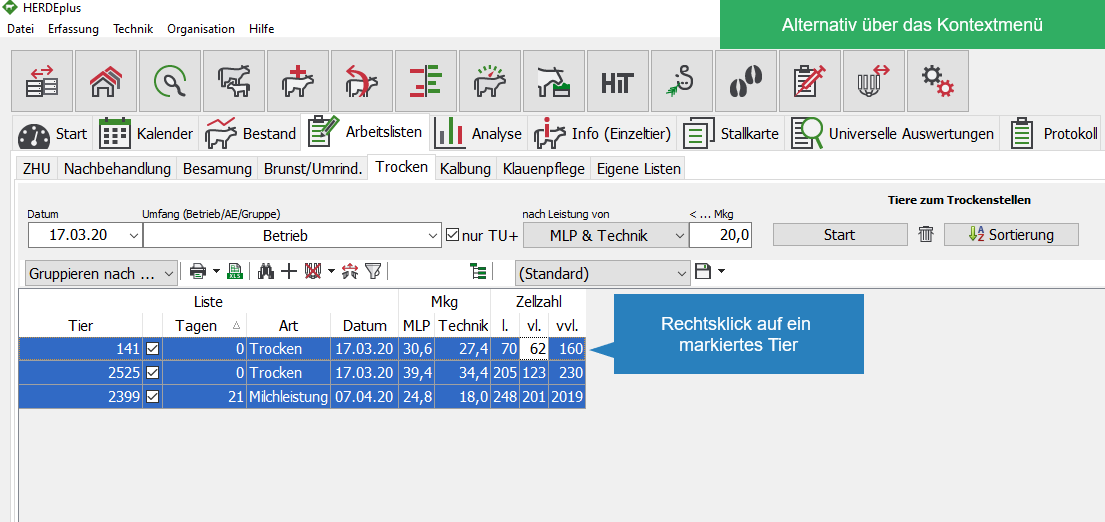
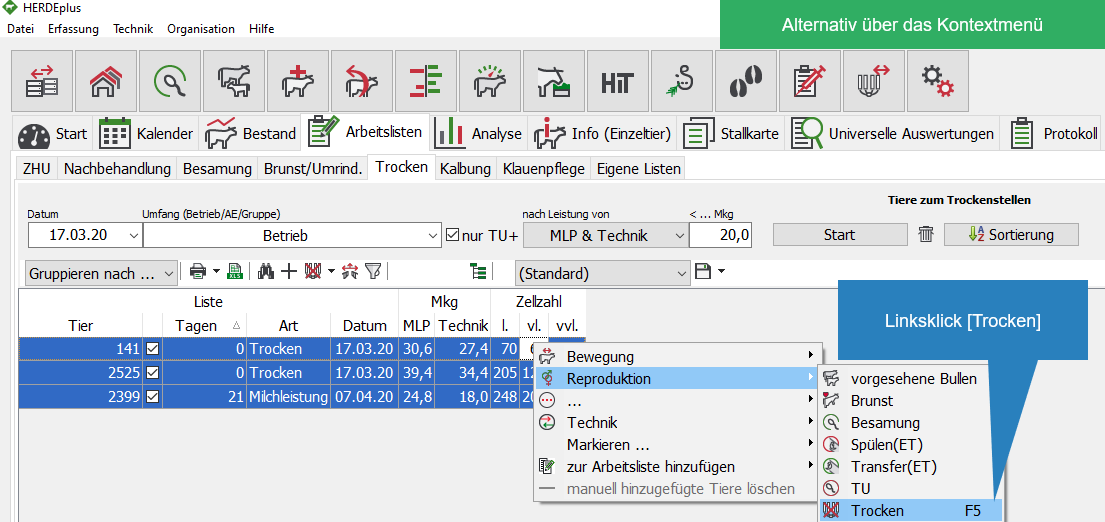
- Right-clicking on a selected animal opens the context menu. Choose
 Reproduction > Dry or
  Further […] >
  animal health from
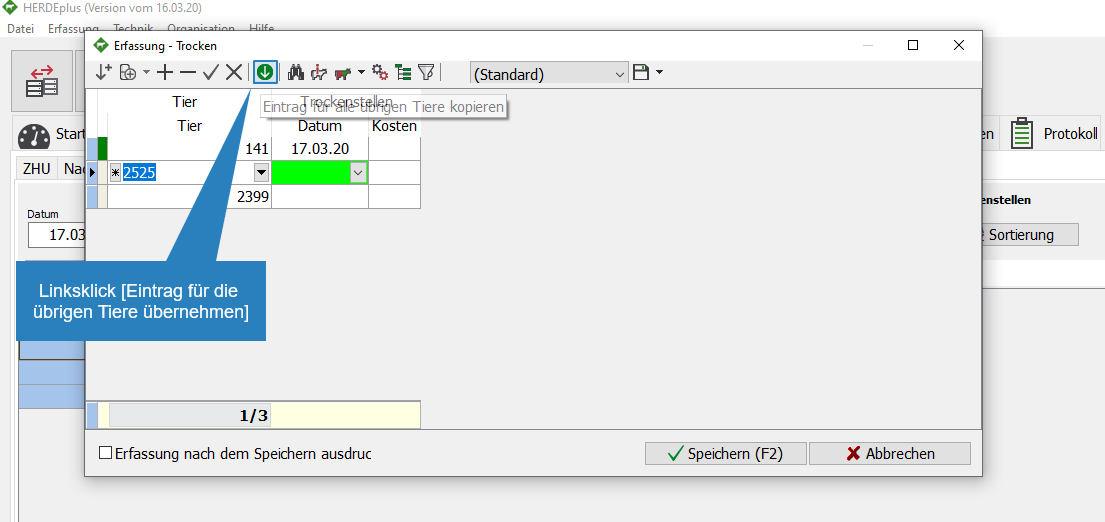
- All animals are transferred to the capture mask

- Enter the data correctly for the first animal.
- if the same action is to be carried out on all animals, click on
 to accept the entries for the remaining animals
 - the entries can then be added or changed in the case of the animals.
- if the same action is to be carried out on all animals, click on
- Click Save
 the capture
