
Online clients for tenant management
This post is also available on:

In this central administration you can store the existing access data for the respective online clients.
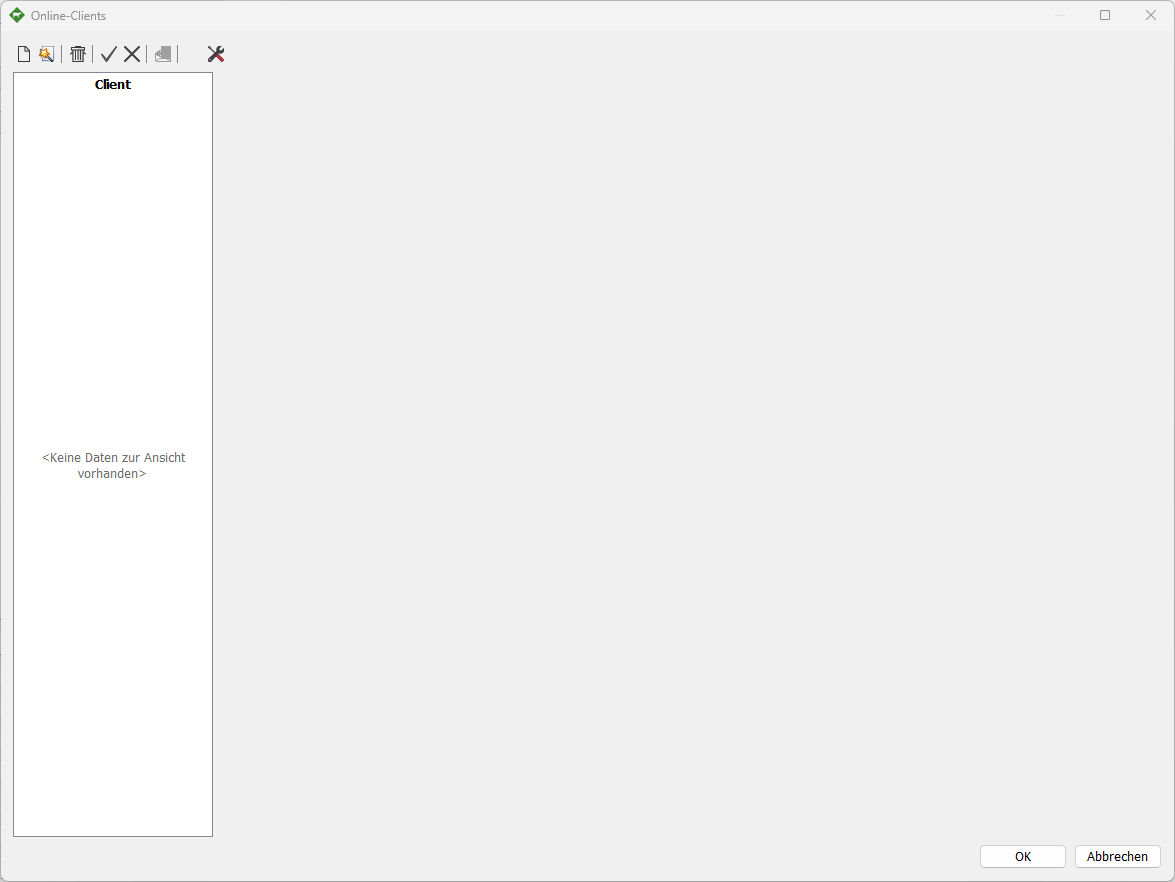
 New | Add a new client
 E-mail (IMAP) | add imap credentials
 Directory | Specify directory
 HERDEcloud | add credentials
 HIT | add credentials
 VIT | add credentials
 Assistant | add new default clients
Email | herdeplus.de, t-online.de, gmx.de, web.de
Milk quality | LKV Saxony-Anhalt
 Delete |
 Apply |
 Cancel |
 Try | test connection
 Start HERDEcloud service | install, start, stop, uninstall
HIT
Description | is freely adjustable
Active | usually active
HIT number | VVVO number of the veterinarian / veterinary practice
HIT-PIN | PIN for the above-mentioned VVVO number

VIT
Description | is freely adjustable
Active | usually active
Users | E-mail address
Password | Password to the e-mail used above

In case of error message 401 | If there are no authorizations on the part of the VIT, please contact your specialist dealer in this case.
HERDEcloud
Don’t have a HERDEcloud account yet?
Description | is freely adjustable
Active | usually active
Users | E-Mail HERDEcloud
Password | Password to the e-mail address used above
Account name | own short name from the HERDEcloud
Open the HERDEcloud website | log in to the external browser
The respective files can be viewed here

E-mail (IMAP)
Description | is freely adjustable
Active | usually active
IMAP User | E-mail address
IMAP Password | Password to the e-mail address used above
IMAP Host | Inbox of the IMAP e.g. imap.anbieter.de
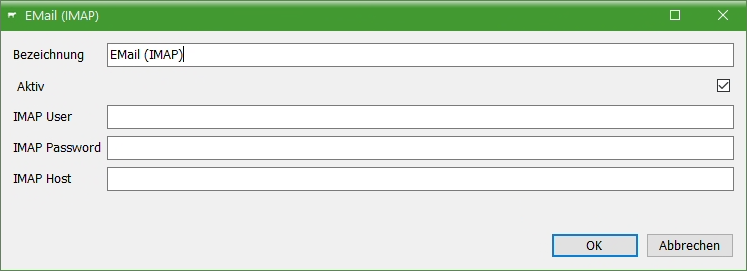
E-mail must have IMAP access and should only be used for electronic files.
Only e-mails with file attachments will be considered. (ADS, ZTH)
Note! After importing the file, the e-mail will be irrevocably deleted without further request!
external transfer program (directory)
Description | is freely adjustable
Active | usually active
Receive (Import) | Local path in which the ADS or ZTH files are located
Read (Import) | Local path in which the processed files are stored
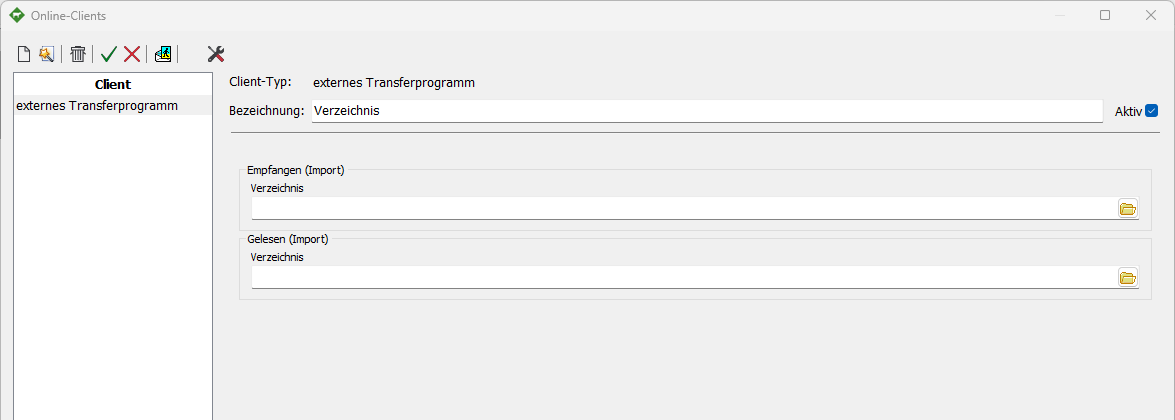
Both directories must be specified, they must be different from each other!